
The Smart Design Course · ZBrush Edition
Learn the method,
not the menus.
A live ZBrush programme for jewellery professionals — built on the 80/20 workflow we use every day at the bench. Seven real pieces. Thirty hours. One method you keep.

The approach
We teach the 20% that matters.
ZBrush has hundreds of brushes, dozens of nested menus and a learning curve that has stopped many capable jewellers. Most courses teach the whole programme. This one doesn’t. Smart Design teaches the subset of ZBrush that actually matters for jewellery — paired with a small set of auxiliary tools that sharpen every step: vectorising, reference management, geometry control for production. It’s the method we run daily at Studiojoia. Not theory — what works.
Format
Built on real pieces, not exercises.
The programme runs as 15 live sessions of two hours over Zoom, at two to three a week — leaving room to practise between sessions and keep a sustainable pace. Each session is taught live, screen to screen: you watch the workflow happen, work alongside it, then consolidate it on your own file before the next one. Every module is built around a real piece of jewellery — yours to print, cast and deliver, never an abstract exercise. You finish each one with a file ready for printing and casting. The build is deliberately cumulative — each piece carries everything from the ones before and adds new technique. By module seven, you’re holding a complete professional workflow.
“Knowing what to leave out is what separates a useful course from a complete one. Smart Design is judgement applied to teaching.”
The programme
Seven pieces. One workflow.
Each module builds a complete piece, from block-out to print-ready file. Complexity grows on purpose — the method is consolidated before each new layer is added.

Double band
Pipeline, block-out, textures (2 sessions).
A double band with hammered texture, personalised interior engraving and a central diamond. Sets the multi-software pipeline from day one: clean block-out in ZBrush, engraving vectorised in Inkscape, texture applied with alphas.

Organic-claw solitaire
The killer feature (3 sessions).
White gold with an aquamarine and branched claws that flow into the band. The module that shows what ZBrush does that no traditional CAD can: real organic transitions that look born from the metal.

Half-eternity, continuous claw
Radial symmetry, own brushes (2 sessions).
Built with radial Array Mesh and polygroup selection. Introduces the Studiojoia brushes — 13 gem sizes, claw presets.

Organic piece
Pure digital sculpture (2 sessions).
A flower ring in silver, sculpted freely with no CAD logic. The deliberate gear change that breaks the reflex to build everything with precise curves — and locks in thinking in ZBrush.

Multi-stone ring with pavé
Composition (3 sessions).
Pear cut, baguettes and pavé on one band: mixed cuts and settings, feed claws, proportion control. Proof that ZBrush handles high-precision jewellery geometry once the method is yours.

Hard surface
Without ZModeler (2 sessions).
A corded (godron) ring built with Array Mesh, Slice Curve and deformers — the module that proves the Smart Design thesis: jewellery hard surface doesn’t need ZModeler.

Integrative final piece
Synthesis (3 sessions).
The trophy project: an asymmetric composition with four different settings (round, oval, pear) and pavé halos. Activates every tool family from the course.
What you keep
The arsenal of a 15-year studio.
You leave with the same toolkit a professional works with — not a folder of notes.
Downloadable resources: custom Studiojoia Pro UI configuration · professional hotkey map (printable + importable) · own brushes (13 gem sizes; settings and claw presets; extras) · alphas for jewellery textures and engraving · pre-configured base ZBrush files.
Training resources: 30 hours of live Zoom training · condensed module videos (7 × 15–20 min) · a PDF summary per module · pre-course technical checklist · Studiojoia Pro certificate of completion.
Personal support: WhatsApp and email throughout · review and feedback on every finished piece · a post-course review session (1 hour, within 60 days).
Complementary software: guided install of ZBrush plugins (Scale Master, Text 3D & Vector Shapes, UV Master, Precision Extract, IMM Draw Size) · Inkscape (free) for vectorising · PureRef (free) for references.
Who it’s for
Built for CAD users making the jump.
This is for the working professional, not the beginner. The ideal student is a jewellery professional with CAD experience (Matrix, Rhino, RhinoGold, 3Design or similar) who wants to add organic and sculptural capability; a designer broadening their workflow; or a traditional bench jeweller making the leap to digital with a pragmatic method. No prior ZBrush experience is needed — the course is designed as a migration from other CAD environments into the Smart Design method.
Technical requirements: ZBrush 2022.0.8 or later, active licence · graphics tablet (Wacom or equivalent) — essential · 24" monitor or larger recommended · stable internet for live Zoom sessions · a reasonably capable machine (16GB RAM recommended).
Block 0 · Pre-course onboarding
Before the first live session you set up your environment with the guide provided: custom UI, own brushes, hotkey map, tablet and essential plugins. Day one starts in production, not in setup.
The trainer
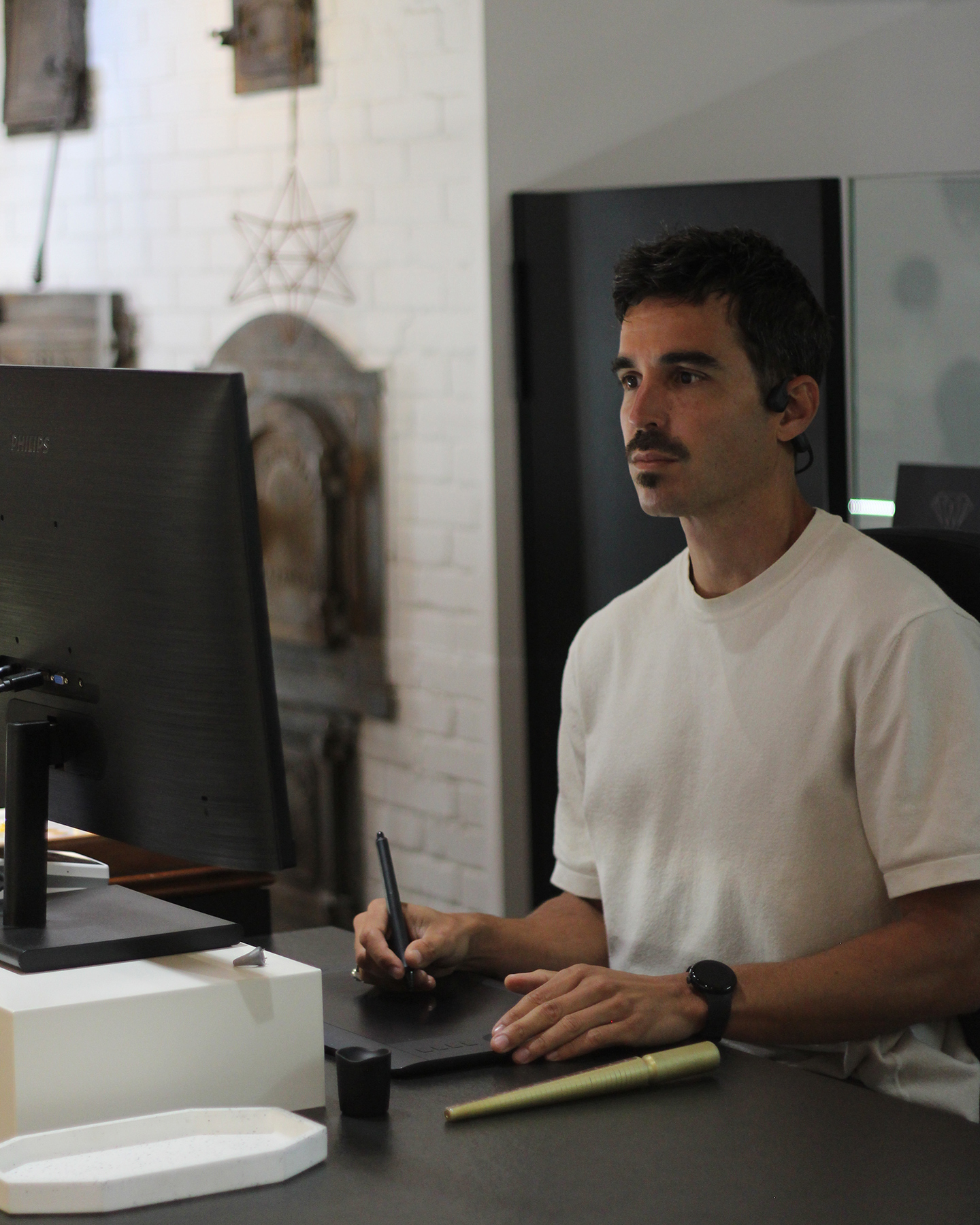
Jordi Bernat.
Jewellery designer (Escola Massana), founder of Studiojoia, 15+ years in jewellery design and production. Classical training in proportion, ergonomics and aesthetics; years at the bench across casting, setting and hand-finishing; advanced command of ZBrush, hyperrealistic rendering and 3D prototyping; and a B2B background as the former European distributor of the Solus 3D printer under the Micron3D brand.
Why Smart Design exists: After years using ZBrush daily at Studiojoia and teaching 3D printing under Micron3D, a pattern emerged: professional jewellers who wanted ZBrush got stuck not for lack of talent, but for lack of method. The courses available taught the whole programme, or were aimed at character sculpting. The bridge was missing — a pragmatic method, built from the craft, teaching only what matters at the depth it needs. Smart Design for Jewellery is that bridge.
“What I learned teaching hundreds of students 3D printing is the foundation of how I teach ZBrush for jewellery now.”
Enrolment
Two ways to learn the method.
Same programme, same seven pieces. You choose the format that fits how you work.
Small group — the programme
€1,200 + VAT · per person
The complete Smart Design course in a group of two to four. Thirty hours live, seven real pieces, the full toolkit and post-course support. Places are limited, by design.
50% on enrolment — reserves your place and releases Block 0 (UI, plugins, brushes, setup) so you can begin pre-course preparation.
50% at mid-course — after module four. A shared commitment, and room to adjust the pace to your group.
Start: Flexible start — a new group opens as soon as two to four professionals are ready.
One-to-one — tailored
For professionals with a CAD background who need to solve a specific challenge in their own workflow. Tell us what you want to achieve and we build the training around it. Priced to scope.